

Mass personalization might sound like a contradiction, but in modern sales organizations it has become one of the most effective ways to scale revenue without sacrificing relevance. Buyers no longer respond to generic proposals that feel copied and reused. They expect documents that reflect their business, their role, and their specific challenges. This is where PandaDoc plays a critical role. PandaDoc allows sales teams to personalize hundreds or even thousands of proposals while maintaining speed, consistency, and accuracy across every deal.
The objective is simple but powerful. Sales teams need to deliver proposals that feel custom-built, reinforce brand trust, and move opportunities forward quickly. Manual personalization does not scale, and static templates often feel impersonal. PandaDoc bridges this gap by combining CRM data, smart templates, conditional logic, pricing automation, and workflow triggers into a single system designed for high-performing sales teams.
Why Personalization at Scale Matters in Today’s Sales Environment
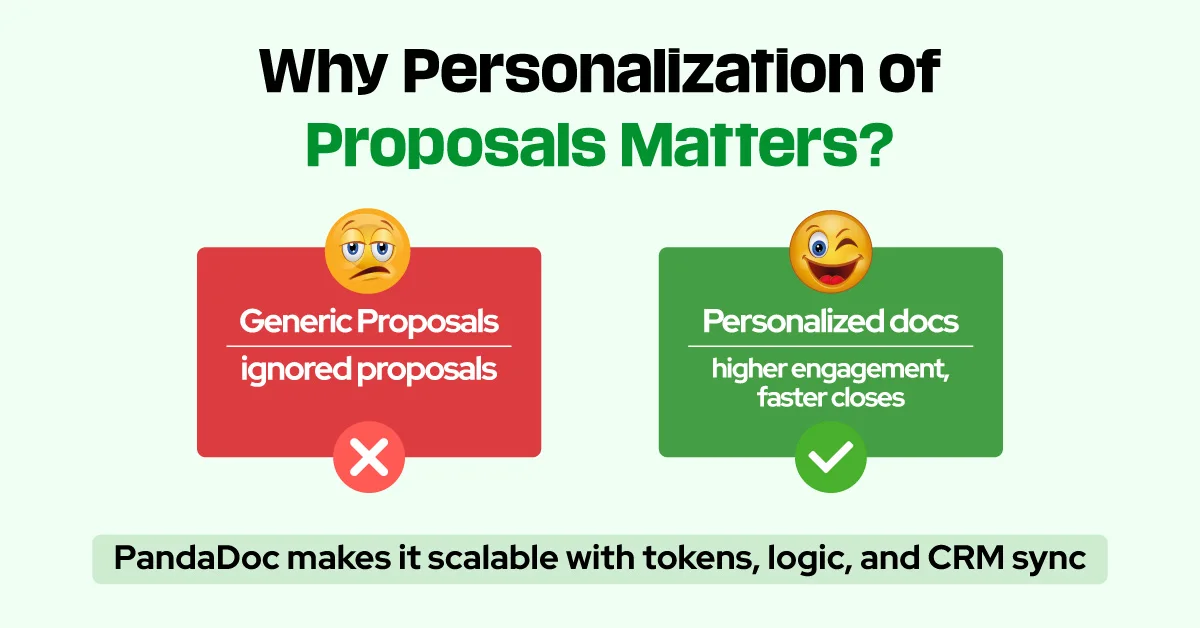
Buyer behavior has changed significantly over the last few years. Decision-makers are overwhelmed with generic outreach, recycled pitches, and templated proposals that fail to address their real needs. When a proposal clearly speaks to a buyer’s industry, goals, and business context, it immediately earns attention and credibility. Personalization is no longer optional. It is a competitive necessity.

At the same time, personalization must be efficient. Sales representatives cannot afford to spend hours rewriting proposals for every opportunity. Without automation, personalization becomes a bottleneck rather than a growth driver. PandaDoc enables teams to deliver meaningful personalization while maintaining deal velocity, ensuring that relevance and efficiency work together instead of competing with each other.
Using CRM Tokens to Insert Live Data Into PandaDoc Templates
CRM tokens are the foundation of scalable personalization in PandaDoc. These tokens act as dynamic placeholders that automatically pull live data from your CRM and insert it directly into proposal templates. Information such as contact name, company name, job title, industry, region, and deal value populates instantly without manual input.
This approach improves accuracy across every proposal sent. CRM tokens eliminate copy-and-paste errors, reduce inconsistencies, and ensure that each document reflects the most current data available. Buyers notice when details are correct and consistent throughout a proposal. That attention to detail builds trust and signals professionalism early in the sales process.
Creating Relevant Messaging With Conditional Content Logic
Not every prospect should see the same content. PandaDoc’s conditional content feature allows sections of a proposal to appear or disappear based on CRM data or dropdown selections within the document. This makes it possible to tailor messaging by industry, persona, or deal type without creating dozens of separate templates.
For example, a healthcare prospect can automatically see compliance language, regulated data handling statements, and healthcare-specific testimonials. A SaaS startup might instead see messaging focused on fast onboarding, flexible pricing, and rapid scalability. Conditional logic keeps proposals concise, focused, and persuasive while preserving scalability for large sales teams.
Personalizing Pricing Tables Without Manual Calculations
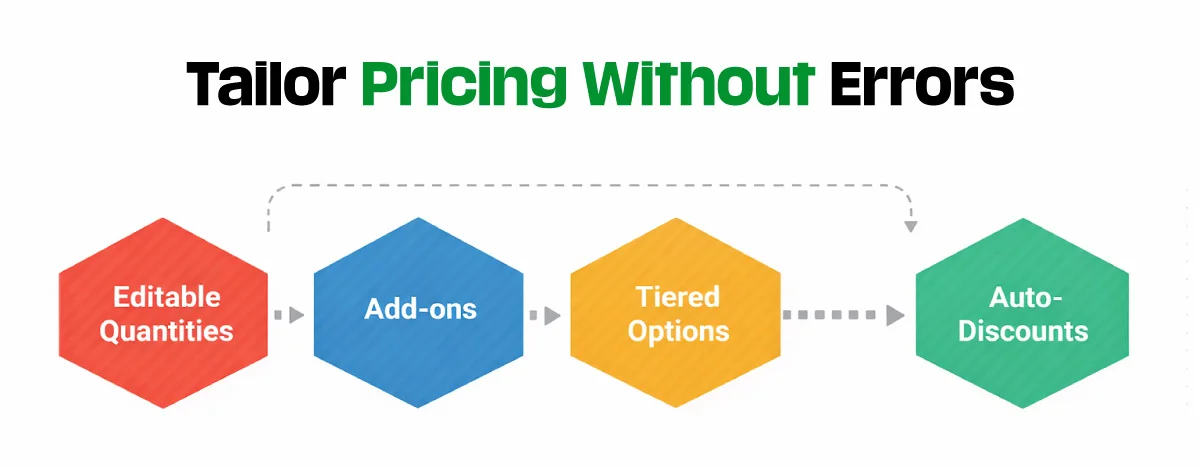
Pricing is one of the most sensitive elements of any proposal, and mistakes here can delay or derail deals. PandaDoc allows teams to build dynamic pricing tables that automatically adjust based on selected products, service tiers, quantities, or contract terms. Sales reps can present structured options such as Basic, Professional, and Enterprise packages without rebuilding pricing tables for each deal.
When PandaDoc is connected to a CRM or product catalog, pricing logic becomes even more powerful. Deal size, customer segment, region, or negotiated terms can influence pricing automatically. This reduces errors, speeds approvals, and gives buyers confidence that pricing is accurate, transparent, and tailored to their situation.
Strengthening Trust Through Visual Personalization
Visual elements play a significant role in how proposals are perceived. PandaDoc allows teams to personalize visuals by adding branded cover pages, customer logos, account manager introductions, and use-case specific images. These visuals can be stored in content libraries or dynamically populated using CRM data.
A proposal that includes a buyer’s logo, relevant imagery, and a personalized introduction feels intentional rather than generic. This level of visual personalization is especially impactful in SaaS, consulting, and professional services, where trust and relationship-building are critical to closing deals.
Building Industry and Persona-Based Template Kits
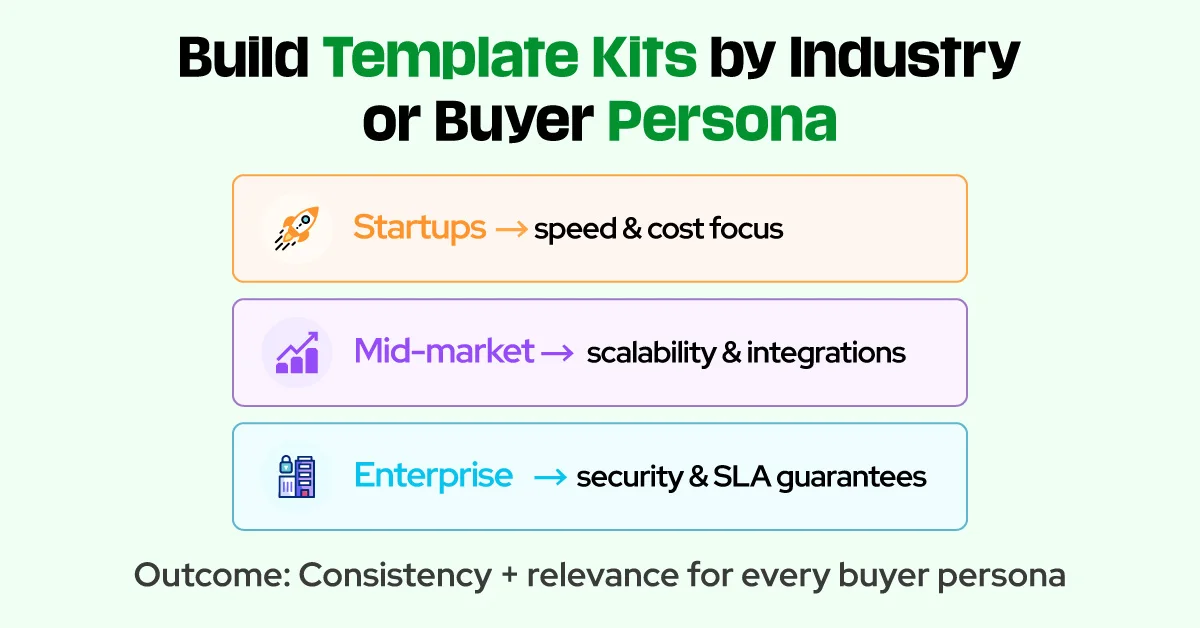
One-size-fits-all templates rarely perform well in complex sales environments. High-performing teams use PandaDoc to create template kits designed for specific industries, company sizes, or buyer personas. Each kit maintains consistent branding while delivering tailored messaging that resonates with a specific audience.
Startup-focused templates often emphasize speed, affordability, and ease of onboarding. Mid-market templates highlight scalability, integrations, and operational efficiency. Enterprise templates focus on security, compliance, and long-term partnerships. Template kits allow sales reps to start with the most relevant foundation while still benefiting from automation and personalization.
Automating Proposal Creation Through CRM Workflows
True personalization at scale requires automation. PandaDoc integrates seamlessly with major CRM platforms, enabling automated document creation based on pipeline activity. When a deal reaches a defined stage, a proposal can be generated automatically using the correct template and live CRM data.
For example, when a deal moves to a proposal stage, PandaDoc can instantly create a document with pre-filled contact details, pricing logic, and relevant content. The assigned sales rep is notified to review and send the proposal. This automation reduces time-to-send, eliminates repetitive steps, and ensures consistency across the sales organization.
Maintaining Control With Roles and Permissions
As personalization scales, maintaining control becomes essential. PandaDoc allows administrators to define roles and permissions so that sales reps can personalize content where appropriate while protecting critical elements such as legal language, compliance statements, and brand assets.
Sales reps may be allowed to adjust pricing or add notes but restricted from editing contractual terms or logos. This balance ensures brand consistency, reduces risk, and supports scalable growth without slowing down the sales process.
Why Personalized PandaDoc Proposals Close Deals Faster
Personalized proposals consistently outperform generic ones because they align with how buyers make decisions. When a proposal directly addresses a buyer’s role, industry, and priorities, it reduces uncertainty and builds confidence. Buyers engage more deeply, ask fewer clarification questions, and move forward more quickly.
Personalization also creates an emotional connection. Buyers interpret tailored proposals as evidence that the seller understands their business and is invested in their success. This trust often shortens the sales cycle and increases close rates, especially in competitive markets.
Scaling Speed and Quality With PandaDoc
PandaDoc makes it possible to deliver high-quality personalized proposals without slowing down your sales team. By combining CRM tokens, conditional content, dynamic pricing, visual branding, template kits, automation, and role-based controls, teams can scale personalization efficiently and predictably.
Whether your team sends ten proposals per week or thousands per month, the right PandaDoc setup transforms proposals into targeted sales conversations rather than generic documents. You no longer need to choose between speed and relevance. With PandaDoc, you can achieve both at scale.