

PandaDoc is widely recognized for its ability to streamline proposal creation and accelerate deal closings. However, its capabilities extend far beyond the sales process. If you’re only using PandaDoc for quotes and contracts, you’re missing out on a powerful opportunity to systemize your internal operations and post-sale workflows. From onboarding forms and SOWs to NDAs and master agreements, PandaDoc can become your single source of truth for client-facing documentation across the entire customer lifecycle.
In this guide, we’ll explore how to implement a systemized approach using PandaDoc for managing documents beyond sales. This will help you reduce bottlenecks, stay compliant, and create a seamless experience for both your team and your clients.
Why Use PandaDoc Beyond Proposals?
Proposals are just the beginning of your customer relationship. Once the deal is signed, clients expect a smooth onboarding process, clear communication, and quick delivery. Each of these stages relies on documentation, and managing it through disconnected tools or email chains results in delays, confusion, and a poor customer experience.
PandaDoc helps eliminate that chaos by turning your document processes into an efficient, trackable system. Every form, agreement, or internal approval becomes structured, searchable, and aligned with your operations.

Turn Onboarding Forms into Actionable Workflows
Onboarding is often the first point of contact after a client signs, and it sets the tone for the entire partnership. PandaDoc enables you to create fillable, interactive onboarding forms that allow clients to input necessary information, such as primary contacts, service preferences, and technical requirements.
You can require fields to be completed before submission and use dropdown menus or checkboxes to streamline responses. Once the form is submitted, it can trigger automated actions, such as notifying the onboarding specialist, creating a task in your CRM, or sending a welcome packet.
By converting static documents into dynamic tools, you can avoid unnecessary follow-ups and expedite the handoff from sales to delivery.
Build SOWs That Balance Consistency and Flexibility
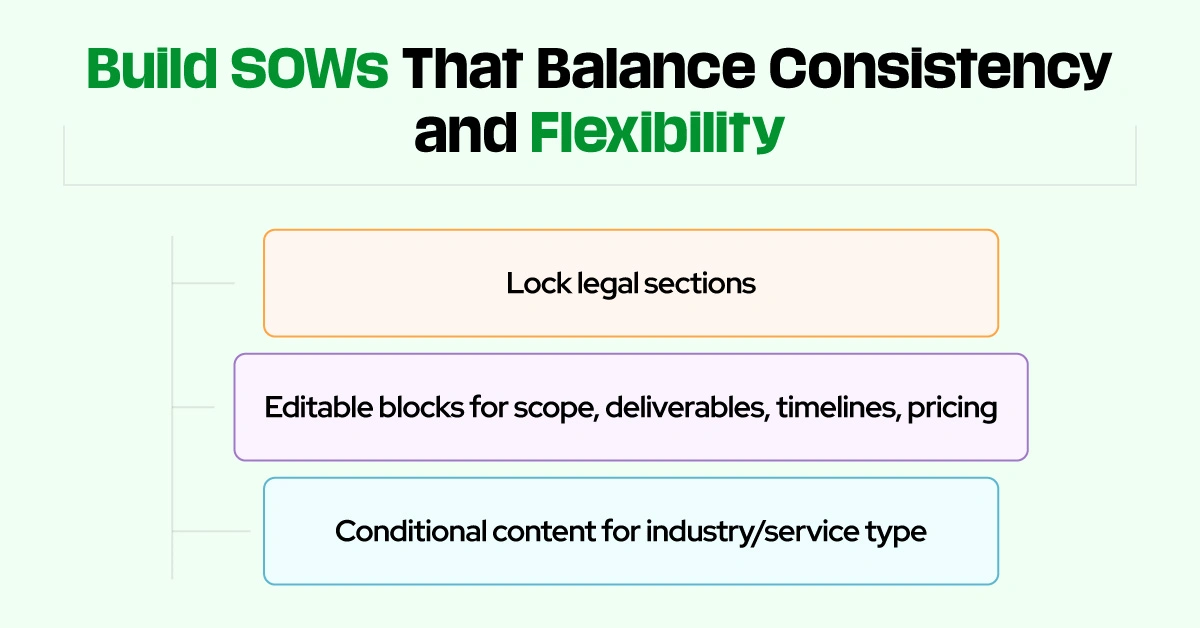
Statements of Work must maintain legal consistency while being flexible enough to accommodate a variety of projects. Many teams struggle with outdated or overly rigid SOW templates that require manual edits for each client.
With PandaDoc, you can lock standardized legal sections while allowing editable blocks for scope, deliverables, timelines, and pricing. This ensures compliance while giving your account or project managers the ability to customize documents quickly and safely.
Conditional content can also be used to tailor the document based on the type of service or industry, reducing the need for multiple versions of the same SOW.
Use PandaDoc to Centralize MSAs and Contracts
Master Service Agreements, vendor contracts, and long-term retainers often require tight control and version management. PandaDoc gives your legal and operations teams the structure they need without slowing things down.
You can create legally approved templates with locked sections that can’t be edited without permission. Assign specific roles to control who can send, sign, or modify each document. Full version histories and document status tracking ensure that every change is logged, giving you a clear audit trail.
Once signed, contracts can be stored in organized folders, synced with your CRM, and even tracked for expiration or renewal dates using notifications.
Quickly Deploy NDAs for Partners and Vendors
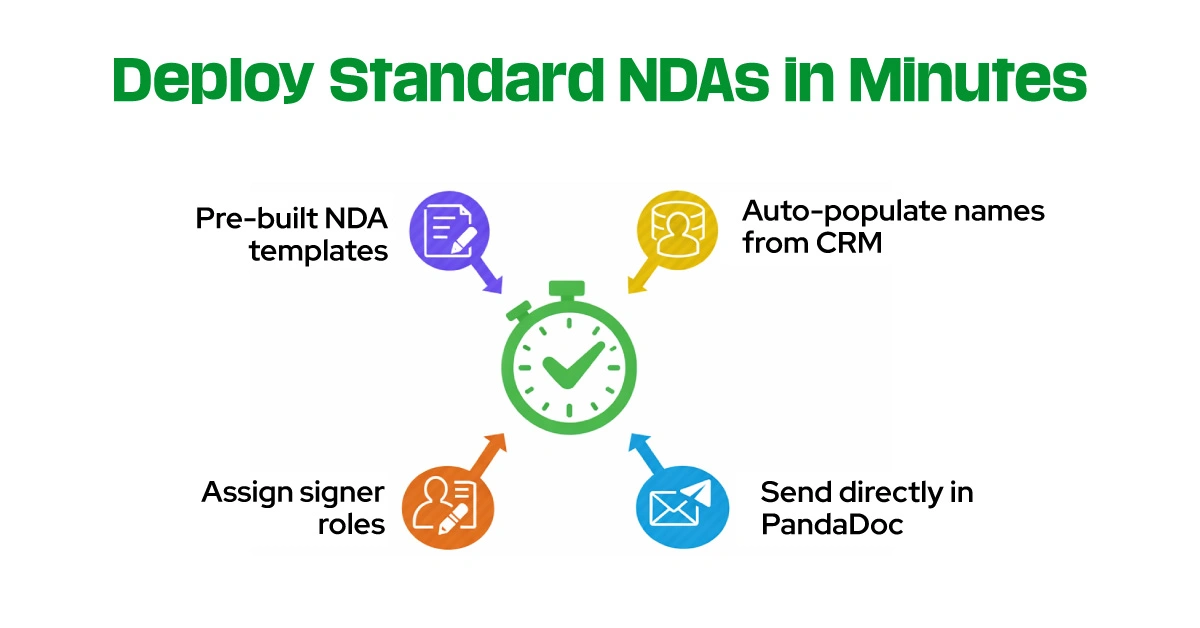
Nondisclosure agreements are a common and necessary step for working with outside partners. Rather than digging through folders or requesting legal support for each new NDA, you can deploy pre-built, standardized NDA templates in PandaDoc within minutes.
Populate company names and contact info automatically from your CRM using tokens. Assign signer roles to speed up approval, and send the document directly through PandaDoc without leaving your existing tools.
This significantly reduces turnaround time, enabling you to move forward on projects without delays caused by paperwork.
Organize Documents into a Centralized Hub
To build a reliable and scalable document system, you need more than just templates. You need structure. PandaDoc enables you to organize your documents using folders, naming conventions, and tags, creating a centralized hub for every team member.
You can group documents by lifecycle stage, such as Pre-Sale, Onboarding, Legal, and Renewals. Tag each document by its type: proposal, SOW, contract, NDA, so it’s easy to search and filter. Assign document owners to manage responsibility and accountability. Use standardized naming formats to simplify navigation, especially as your document library grows.
This type of structure ensures that, regardless of who logs in, they can find what they need in a matter of seconds.
Connect Documents to CRM and Slack for Full Visibility
Keeping everyone aligned across departments is critical to maintaining momentum after a deal closes. PandaDoc’s integrations with Slack and CRMs, such as Salesforce and HubSpot, enable real-time notifications, automations, and pipeline updates based on document activity.
Instead of guessing whether a form was submitted or a contract was signed, your team gets instant updates. For example, you can trigger a task in your CRM when an onboarding form is completed or send a Slack alert when a document is viewed or signed.
This real-time visibility ensures seamless handoffs between teams, minimizes delays, and reduces the need for constant follow-ups or check-ins.
Use PandaDoc as Your System of Record
When used to its full potential, PandaDoc becomes your system of record for all client-facing documentation. Every document is searchable, timestamped, and linked to the right deal or account. You no longer need to search across shared drives or chase down signed contracts in email threads.
This centralized record-keeping enhances your compliance, reporting, and operational efficiency. You can track metrics such as time to sign, document completion rates, and renewal status, providing valuable insights into process improvements.
More importantly, it creates a single source of truth for your team and your clients.
Extend PandaDoc Across the Entire Customer Lifecycle
PandaDoc is more than a proposal tool. It’s a document engine that powers every stage of the customer journey. Whether you’re onboarding a client, sending a contract, or managing compliance, PandaDoc helps you do it faster, smarter, and with fewer mistakes.
By systemizing your documents with roles, templates, folders, and integrations, you create a streamlined process that scales with your business. The more you use it across departments, the more value you unlock, and the smoother your operations become.