

Are You Getting Their Attention Fast Enough? Sending a proposal is only half the battle. What really matters is what happens after you hit “Send.” Does your prospect open it immediately, or do they ignore it for days? Do they skim your pricing or study it? PandaDoc gives you full visibility into proposal performance through robust document analytics, and knowing how to read this data gives you a serious edge in closing deals faster.
In this guide, we’ll walk you through the most important PandaDoc analytics metrics and how to utilize them to enhance your proposals, gain a deeper understanding of buyer behavior, and align your sales efforts with what actually works.
Are You Getting Their Attention Fast Enough?
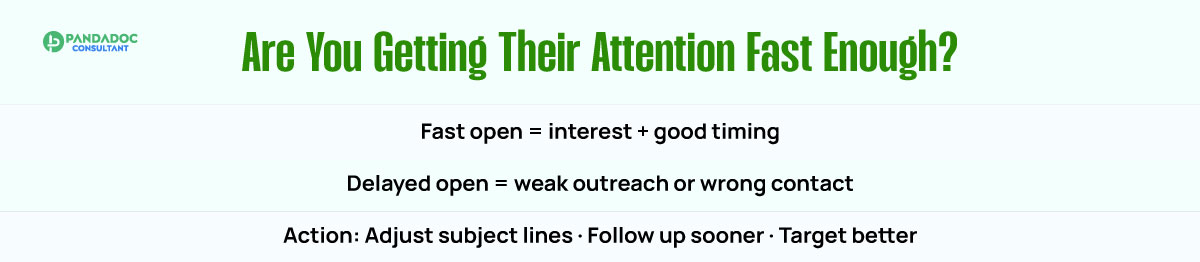
The first metric to watch is time to open. This indicates how long it takes a recipient to open your proposal after it has been sent. If your document sits unopened for days, it could be a red flag that your outreach didn’t land well or the prospect isn’t ready to move forward.

Use this insight to evaluate your email subject lines, timing, and messaging. A slow time-to-open rate may signal that you need a more effective follow-up process or that you’re targeting the wrong contact. On the other hand, a proposal opened within minutes indicates interest and a well-timed pitch.
Discover What Grabs Their Attention

PandaDoc allows you to track exactly which pages your recipient looked at. This metric indicates the number of pages viewed and which sections of your proposal were actually read. It helps you identify the sections that resonate and those that may be getting skipped.
Suppose prospects spend time on your pricing page but breeze past your case studies; that tells you what’s driving their decision. You can use this insight to rearrange content or simplify sections that are consistently overlooked.
By understanding which sections receive the most attention, you can optimize future proposals to address the matters that matter most directly.
Find Out Where They Linger or Lose Interest
Time per section takes your analytics one level deeper. Instead of just knowing which pages were opened, you see how long each part of your document held the reader’s attention.
If a client spends three minutes reviewing your pricing but only a few seconds on the executive summary, it’s a clear signal of where their focus lies. If they linger too long on a legal section, it might indicate confusion or concern; either way, it’s a valuable cue for your sales follow-up.
These patterns help you refine your content layout, clarify complex sections, and coach your team on where prospects might need extra support during calls.
Identify Multi-Stakeholder Interest

The total number of views your proposal receives indicates how many times the recipient has opened it and possibly how many decision-makers are reviewing it. A document that has been viewed three or more times typically indicates internal sharing or review by a purchasing committee.
This is crucial for account-based sales strategies. If your proposal is getting shared internally, it’s a positive signal of buying intent. Sales reps can then follow up with questions like, “Is there anyone else you’d like me to loop in for next steps?”
Repeated views are also an opportunity to nudge deals forward and help multiple stakeholders feel confident about your offer.
Spot Drop-Offs and Fix the Gaps
Completion rate measures how many recipients finished reviewing your document versus how many started it. If people are opening your proposal but not completing it, that means something in the document is causing friction or disengagement.
This could be due to overly complex content, unclear next steps, or simply poor formatting. Tracking drop-offs helps you identify bottlenecks and refine your proposals to improve flow and engagement.
High completion rates, on the other hand, suggest your structure and pacing are strong, something you can replicate across your templates.
Combine Proposal Analytics with CRM Data for Real Insights
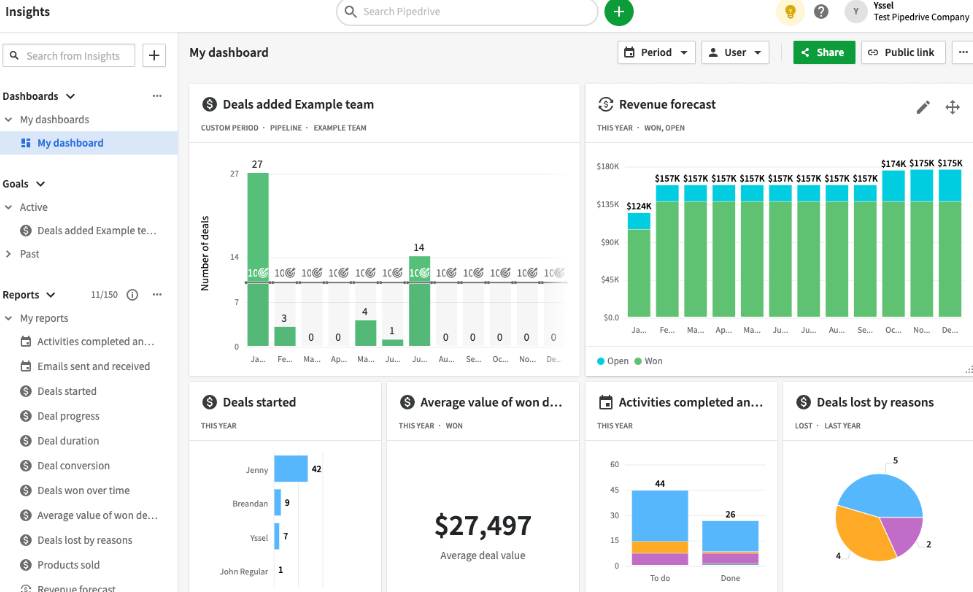
Proposal analytics become even more powerful when combined with your CRM data. By syncing PandaDoc with Salesforce, HubSpot, or Pipedrive, you can match document behavior with deal outcomes. This allows you to correlate high view counts or fast opening times with higher close rates.
For instance, you might find that proposals opened within one hour close 30% faster, or that deals where the pricing page was viewed twice are more likely to convert. These insights help you identify trends, set more effective sales KPIs, and refine strategies that drive real revenue.
With this data, sales leaders can also train reps more effectively, optimize templates across the team, and prioritize deals with strong engagement signals.
Final Thoughts on Tracking Proposal Analytics in PandaDoc
Sales isn’t guesswork anymore. PandaDoc’s proposal analytics turn every sent document into a stream of valuable data. From time-to-open and page views to total engagement and drop-offs, you get a full picture of buyer behavior.
By monitoring the right metrics and combining them with CRM insights, you can refine your proposals, follow up more strategically, and close deals with greater confidence. The better you understand how clients interact with your proposals, the better your chances of winning their business.